
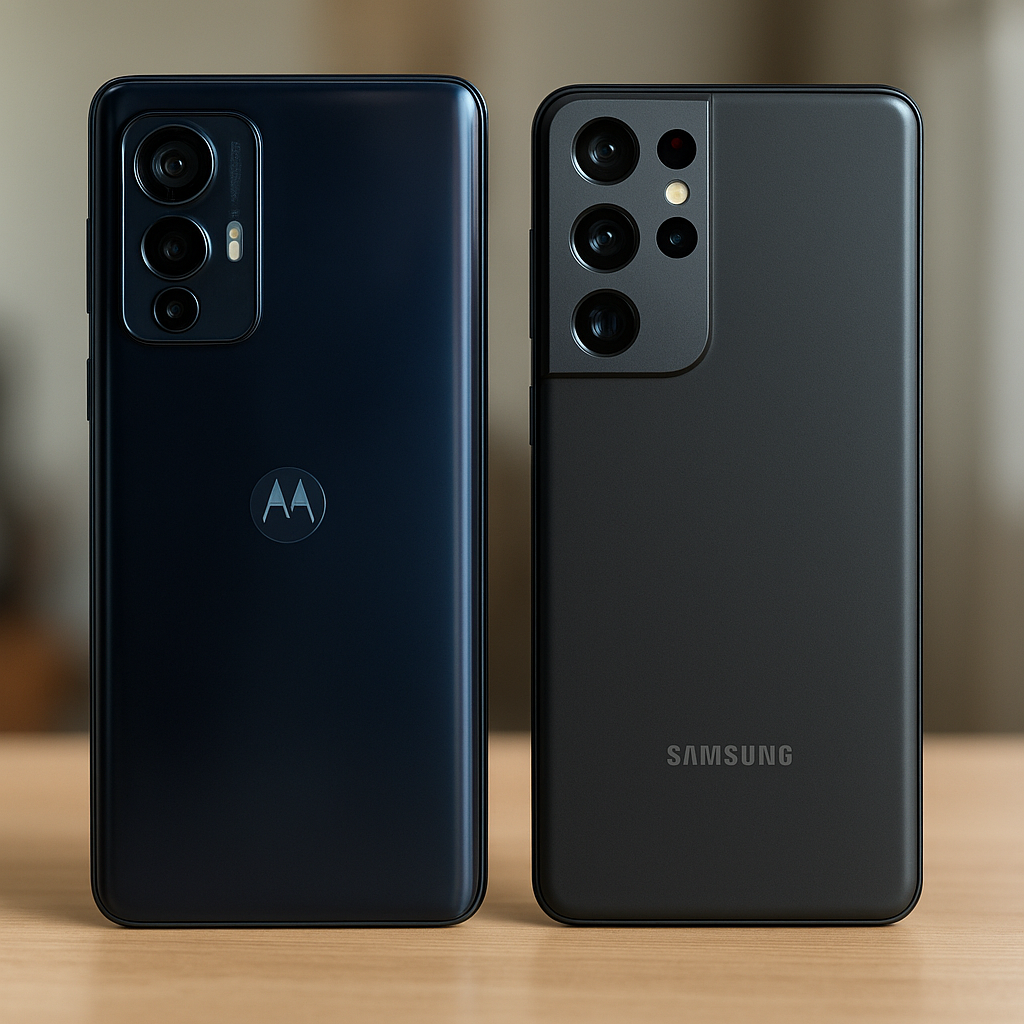
Neither brand is universally better. The right choice depends on the exact phones, their current US prices, and what matters most: photos, battery endurance, gaming, software support, or simply spending less. A useful Motorola vs Samsung phones comparison puts similarly priced models side by side, not an entry-level handset against a premium flagship.
Current prices and model availability have not been verified here, so no named pair or category winner is presented. Instead, this guide explains how to compare equivalent Android smartphones without mistaking a bigger specification number for a better phone.
Motorola vs Samsung: The Short Answer
Start with a budget and two specific models. Then compare the features that affect daily use and the costs that follow the purchase.
| Buyer priority | What matters most | How to choose between Motorola and Samsung |
|---|---|---|
| Lowest purchase price | Full unlocked price, equivalent storage, required accessories | Choose the lower total cost after checking whether a discount requires a trade-in, activation, or service plan. |
| Photography and video | Comparable photo samples, stabilization, recording modes | Compare the exact models in similar shooting conditions. Megapixels alone cannot identify the better camera. |
| Battery life and charging | Tested endurance, charging compatibility, included charger | Prioritize comparable battery tests or verified charging features, depending on how the phone will be used. |
| Gaming and everyday performance | Chipset, RAM, storage, sustained performance | Check the exact configuration and relevant tests rather than choosing by brand reputation. |
| Software support and long-term use | Remaining operating system upgrades and security support | Favor the model with a documented support period that covers the intended ownership window. |
| Interface preferences and connected devices | Navigation, customization, accessory compatibility | Try both interfaces and verify the specific connected-device features that matter. |
A good deal is a phone that meets the buyer’s needs at a sensible total cost—not simply the phone with the longest specifications list.
Compare Phones in the Same Price Range
Comparing a low-cost Motorola Moto G with a premium Samsung Galaxy can reveal obvious differences, but it does not answer which brand offers better value at a particular budget. The useful comparison is between phones available for roughly the same full purchase price.
Use US-market versions, matching storage configurations where possible. Check unlocked pricing separately from carrier offers. A trade-in credit, monthly bill credit, or financing promotion is not the same as an unconditional price reduction.
Begin with the Motorola US catalog and Samsung US smartphone catalog, then open the exact product pages. Regional versions, storage options, and offer conditions need checking before a comparison becomes purchase-ready.
Budget Phones
At the budget end, small differences can matter more than headline features. Enough storage, readable text outdoors, dependable carrier compatibility, and adequate remaining software support may be more useful than an extra camera with limited practical value.
Set a ceiling in USD, then find one phone from each brand within it. If one costs more, identify the specific benefit that justifies the difference. Do not assume every Moto G or Galaxy budget model shares the same display, processor, or update policy.
Midrange Phones
A second comparison is worthwhile only if increasing the budget buys something useful. For example, check whether a shortlisted Motorola Edge or Samsung Galaxy adds optical image stabilization, a more suitable chipset, or a longer documented support period. Those features must be confirmed for the exact model.
Do not move up a tier just because the premium option looks better on paper. A faster processor has limited value for someone whose phone mostly handles messages, maps, and calls.
Same-Price Comparison Worksheet
No current matched pair can be substantiated here. This table therefore leaves model-dependent details unfilled rather than presenting outdated prices or invented specifications. Apply every row equally to both shortlisted phones.
| Comparison criterion | Motorola candidate | Samsung candidate |
|---|---|---|
| Exact model and market | Record US model number and variant | Record US model number and variant |
| Storage and unlocked price | Record capacity, USD price, date, and offer conditions | Record equivalent capacity, USD price, date, and offer conditions |
| Display | Check size, resolution, OLED or LCD, and refresh rate | Check size, resolution, OLED or LCD, and refresh rate |
| Processor and memory | Record chipset, RAM, and storage expansion support | Record chipset, RAM, and storage expansion support |
| Cameras and video | Check lenses, stabilization, resolution, and supported frame rates | Check lenses, stabilization, resolution, and supported frame rates |
| Battery and charging | Check capacity, wired and wireless charging, and supplied equipment | Check capacity, wired and wireless charging, and supplied equipment |
| Published software support | Record upgrade commitment, security duration, frequency, and applicable start date | Record upgrade commitment, security duration, frequency, and applicable start date |
| Durability and ownership | Check materials, IP rating, carrier support, warranty, and repair options | Check materials, IP rating, carrier support, warranty, and repair options |
How Motorola and Samsung Compare in Everyday Use
Cameras and Video
Camera hardware describes capabilities, not the finished photo. Camera processing affects color, skin tones, contrast, and detail. A higher megapixel count does not prove that a phone handles faces, indoor scenes, or nighttime streets better.
For photography, look for side-by-side samples from the exact models. Include the main camera in daylight, low-light photography, and moving subjects such as pets. A sharp picture of a stationary building says little about capturing a child indoors.
Optical image stabilization can help reduce camera-shake blur, but it does not freeze a moving subject. For video quality, verify resolution and frame-rate combinations, stabilization restrictions, autofocus behavior, and audio through specifications and comparable sample footage. Neither brand earns a camera win without that evidence.
Performance and Display
Everyday responsiveness depends on the chipset, memory, storage, and software optimization. More RAM may help keep apps available, but it cannot make every processor equally capable. Demanding games also need sustained performance, not just a strong short benchmark result.
Compare tests using similar settings and conditions. For routine use, pay attention to app opening, camera launch, navigation, and switching between frequently used apps.
OLED and LCD displays have different characteristics, but the panel label alone does not settle quality. Check outdoor readability, resolution, viewing comfort, and refresh rate. A higher refresh rate can make scrolling smoother; it does not guarantee that games run at that frame rate.
Battery Life and Charging
Battery capacity measures stored charge, not hours of use. Screen settings, signal strength, processor efficiency, and workload all affect battery endurance. Compare results from the same testing method whenever possible.
- Capacity: check the published battery figure, without treating it as an endurance score.
- Endurance: look for comparable browsing, video, or mixed-use tests.
- Wired charging: verify the supported charging standard and compatible adapter.
- Wireless charging: confirm support on the exact model.
- Box contents: check whether a suitable charger and cable are included.
A higher wattage rating does not guarantee a particular full-charge time. Temperature, battery level, and charging behavior affect the result. Missing charging equipment also changes the effective purchase cost.
Software, Updates, and Interface
Both brands sell Android smartphones, but the interface and bundled features differ. Samsung’s One UI and the Android interface on a Motorola handset should be assessed on the actual models, not through broad claims that one is always simpler or more capable.
Try notification controls, navigation, customization, multitasking, and accessibility settings. Check preinstalled apps, including carrier additions, and whether unwanted applications can be removed or disabled. Productivity features only matter if they fit the intended routine.
Operating system upgrades and security updates are different commitments. The former bring newer Android versions; the latter address security issues. Record both promises separately, including update frequency and when the stated support period begins, if documented.
Consult Samsung’s security update schedule for the listed security category and applicable qualifications. That page alone does not establish an Android upgrade count or total support lifetime. For either brand, obtain the exact model’s official support commitment rather than borrowing a promise from another device.
A phone bought later in its release cycle may have less support remaining. Purchase date should not be assumed to restart the manufacturer’s support clock.
Build Quality, Compatibility, and Ownership
Check materials, dimensions, weight, and any published water and dust resistance rating. An IP rating describes specific testing conditions, not unlimited protection or automatic warranty coverage for liquid damage.
For carrier compatibility, verify the exact US model with the intended carrier. An unlocked phone is not automatically compatible with every network or feature. Imported versions deserve particular caution.
Review warranty coverage, authorized repair availability, return terms, and accidental-damage exclusions. Long-term ownership cost includes necessary accessories and potential repairs, but no repair-price or resale advantage should be assumed without evidence.
Which Should You Choose?
Choose Based on Your Main Priority
For anyone asking “Samsung vs Motorola: which is better?”, the useful answer is conditional. The recommendation should change when the documented differences change.
- Lowest total purchase cost: choose the candidate with the lower full cost after matching storage and adding required accessories. Keep trade-in and service-plan conditions separate.
- Photography: favor the exact model with stronger relevant comparative samples, especially for indoor movement or low light. Without those samples, there is no defensible camera winner.
- Several years of ownership: favor documented remaining software support, suitable storage, and accessible repair options—not a brand-wide update reputation.
- Charging or endurance: choose using comparable endurance tests or verified charging compatibility. These are separate priorities.
- Existing connected devices: verify the required watch, earbud, computer, or other accessory functions. Basic pairing and full ecosystem integration are not necessarily equivalent.
- Interface preference: try both phones where possible. Familiar controls and useful accessibility options can matter more than an unused specification advantage.
A Quick Buying Checklist
- 1. Set a budget using the full purchase price, including applicable taxes and required accessories.
- 2. Compare equivalent storage configurations and check RAM separately.
- 3. Check compatibility with the intended carrier using the exact model number.
- 4. Verify the exact model’s update commitment and remaining support.
- 5. Compare features that will actually be used.
- 6. Check warranty terms, return conditions, and what comes in the box.
- 7. Recheck prices, availability, and promotion conditions immediately before buying.
FAQ
Is Motorola Better Than Samsung for the Price?
Sometimes a particular Motorola is the better deal; another comparison may favor Samsung. Value depends on equivalent configurations, current prices, useful features, and expected ownership length—not the logo.
Which Brand Is Better for Photos?
There is no reliable brand-wide answer. Compare the exact phones through real-world samples, including moving subjects, low light, and video. Megapixels alone cannot establish image quality.
Do Samsung Phones Receive Updates for Longer?
Support varies by model and release date. Compare published upgrade commitments and remaining security support for the two candidates. Samsung’s security schedule should not be treated as proof of every device’s total support lifetime.
Is Switching Between Motorola and Samsung Difficult?
Both use Android, so many familiar services remain available. Interfaces, transfer tools, and manufacturer-specific features differ, though. Back up important data and verify transfer options; not every app login, setting, or accessory function will necessarily carry over.